
Author Archives: claudiaha

PTV Lateral Push-in Technology

From |

Push-in Terminal blocks in vertical orientation?

Yes, I am sure most of us are aware of the easy-installation technology, called Push-in Technology. If you have never heard of it, please allow me to explain it with Phoenix Contact’s history.

Phoenix Contact was the first to develop modular terminal blocks. It actually started with screw terminal blocks and then gradually innovated with newer technologies.

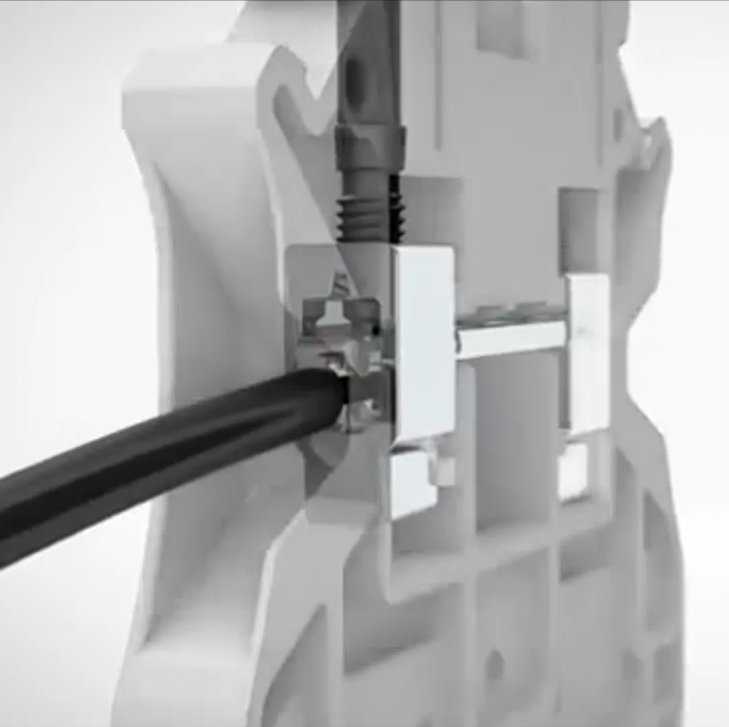
Moving on from screw terminal blocks, we came up with spring-cage terminal blocks. Using the screwdriver, the spring-cage would be opened, allowing the user to install the conductor.
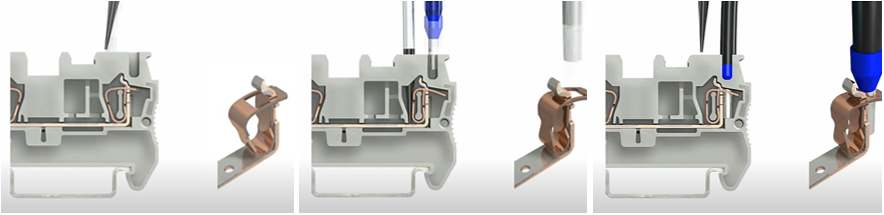
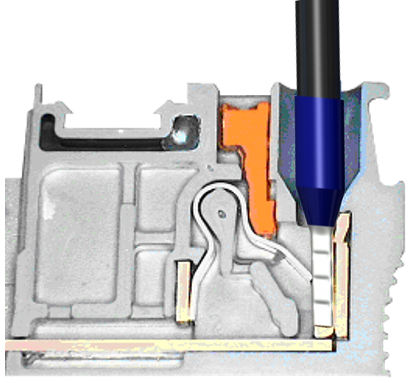
Compact ST spring-cage connection

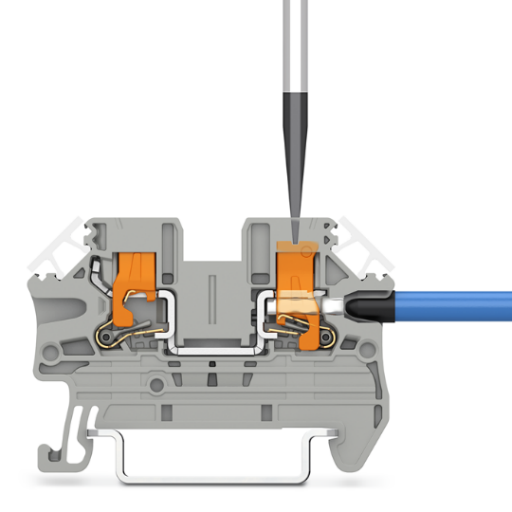
And finally, we have Push-in technology which does not require you to get any tools to install rigid or ferrule fitted conductors. Yes, all you have to do is just slot the conductor into the hole and push it in, Voilà!

Again, with Phoenix Contact’s continuous innovation, we did not stop here. We now have lateral Push-in technology!

Instead of inserting the conductor from the top, now you can push it in from the side.

So, how does it benefit us more?
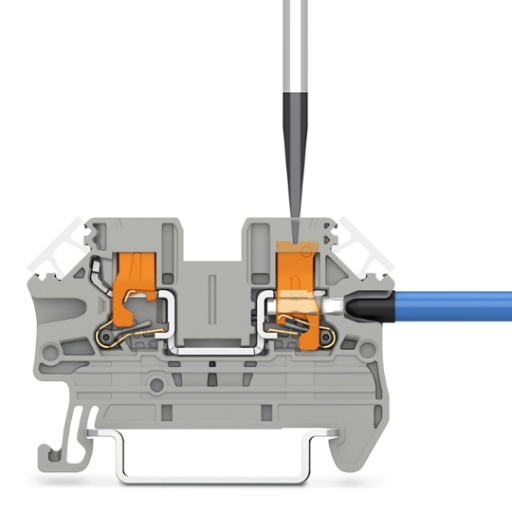
  • Best Ergonomics

Just like PT terminal blocks, you can connect rigid or ferrule fitted conductors directly without using any tools. Regardless of the listed conductor size you use, the contact spring ensures maximum contact and conductor pull-out forces with a vibration-resistant, gas-tight connection.
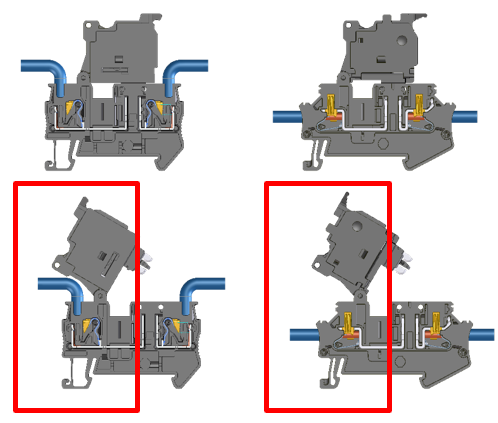
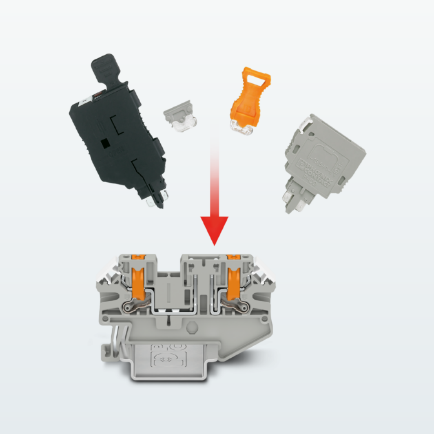
PTV, in fact, is best when it comes to a Fuse terminal block with push-in technology. If you are a user of this, you might have already faced this little situation. When you try to disconnect the fuse holder, the conductor might block you from flipping it over fully. With lateral Push-in technology, you have full freedom of flipping the fuse holder.

  • Best System compatibility

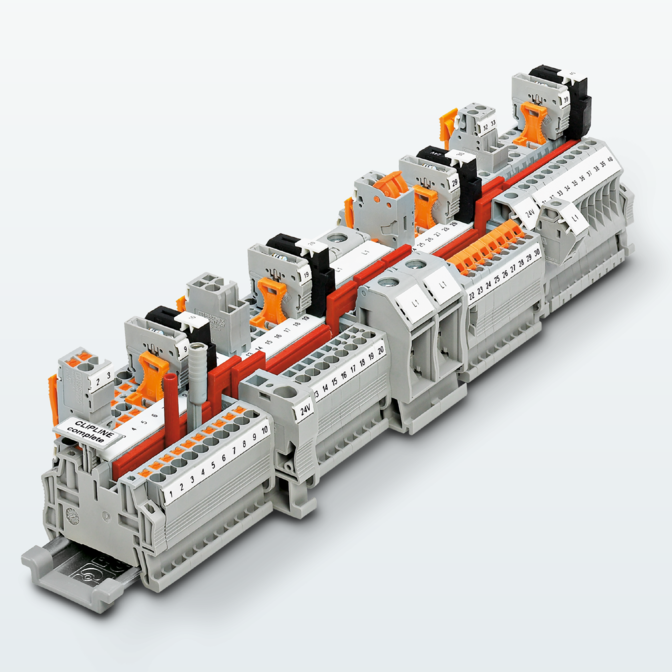
PTV, as a part of CLIPLINE complete, allows you to use the same set of accessories as other CLIPLINE complete terminal blocks with different connection technologies. The list of accessories for disconnect terminal blocks is:

  1. fuse plugs
  2. component connectors
  3. feed-through connectors, and
  4. isolating plugs

This versatility enables you to customize your switching devices.
  • Best Clarity

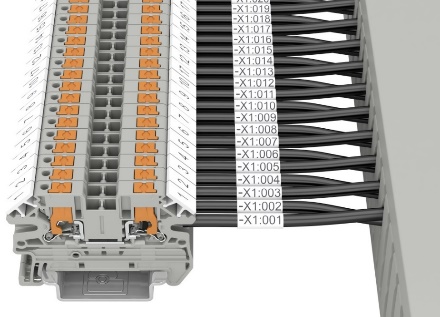
The conductors entering from the side will not bend and cover your markings on the terminal block. This also enables easier identification of conductor markings and connection.

Today, you can find the Push-in technology in various terminal block types from normal feed-through terminal blocks to even test disconnect terminal blocks. With our new lateral Push-in technology, we can offer you an even wider range of terminal blocks!
Easier Maintenance, Easier Troubleshooting with Phoenix Contact

From |

If you were to connect one or more wires, you may simply think of connecting them from one point to another. Well, you can do that technically. However, things could get messier than expected.

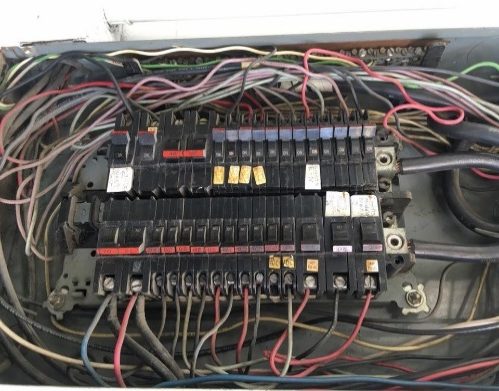
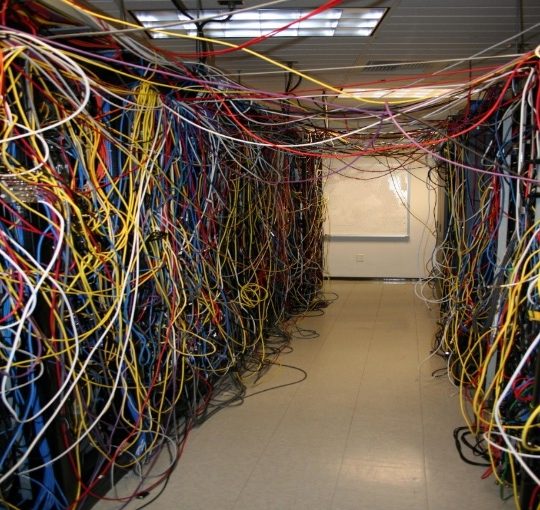
Image from: https://www.flickr.com/photos/belleville/59234524/in/photostream/

YES, without any prior planning on how wires are to be connected and a proper design of control cabinet layout, you may face the cable jungle, just like what you see in the photo. If you have to perform maintenance or troubleshooting on the control cabinets, this will possibly be one of your worst nightmares! It’s not only about complexity of your job but also your safety.

Not to worry, we are here to help!

Firstly, terminal blocks could be positioned in your control cabinet layout design. Terminal blocks, as a central termination point between the field wiring, provide you an easy and convenient method to group and/or distribute the wirings. This means terminal blocks could provide you with a neater control cabinet with cables.

The wide product range of terminal blocks can be found in Phoenix Contact and you can choose based on your requirements and standards.

Once terminal blocks are in your control cabinets, you can finally escape from the cable jungle. Troubleshooting should be much easier for you to manage now than ever before.

Image from: https://smartcsm.com/25-of-the-worst-electrical-panels-weve-ever-seen

Do you still think that your control cabinet is messy?

You may see the disorganised cables running around the area unmanaged. It might even look dangerous.

If this is what you see, it’s time to use cable ducts.

Even for cable ducts, Phoenix Contact provides many different types according to different situations and environments. The wide range of cable ducts enable flexible and optimum use of available space in your control cabinets.

Your working space will be significantly less cluttered with the use of terminal blocks and cable ducts now. All you need to do for maintenance and troubleshooting will then be straightforward and trouble-free.

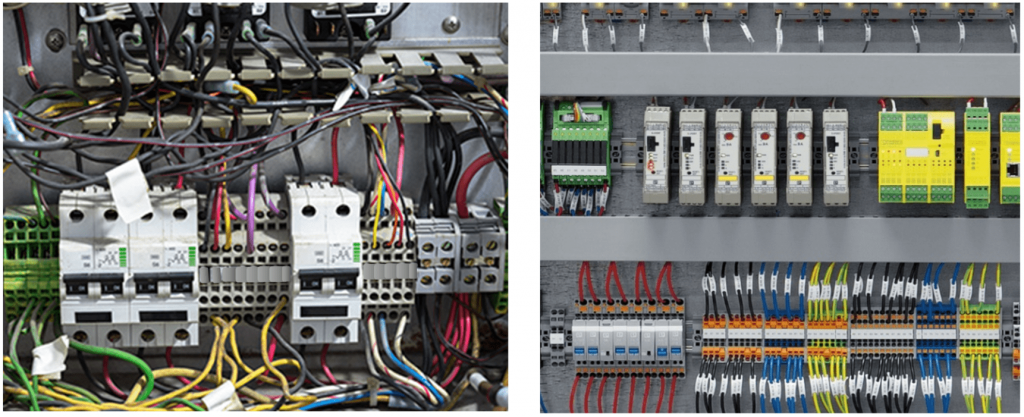
Wait! Don’t bounce off yet! We have one more suggestion for easier maintenance, easier troubleshooting with Phoenix Contact. Let’s do a ‘Spot the Difference’ exercise! Can you find the difference between the two photos below?

Apart from messier layouts, the main difference is missing labels. Did you manage to spot those? During testing and troubleshooting, you may realise that you can’t differentiate the cables, especially when they are routed from same location. The labels will be able to help you figure out where each cable is from just by looking at the control cabinet; you won’t have to manually route back where the cable is from. Labelling not only for the wires but for the terminal blocks and other components will benefit you for your routine maintenance and repairs. Easy identification of all the components will reduce your time and effort on handling the control cabinets.

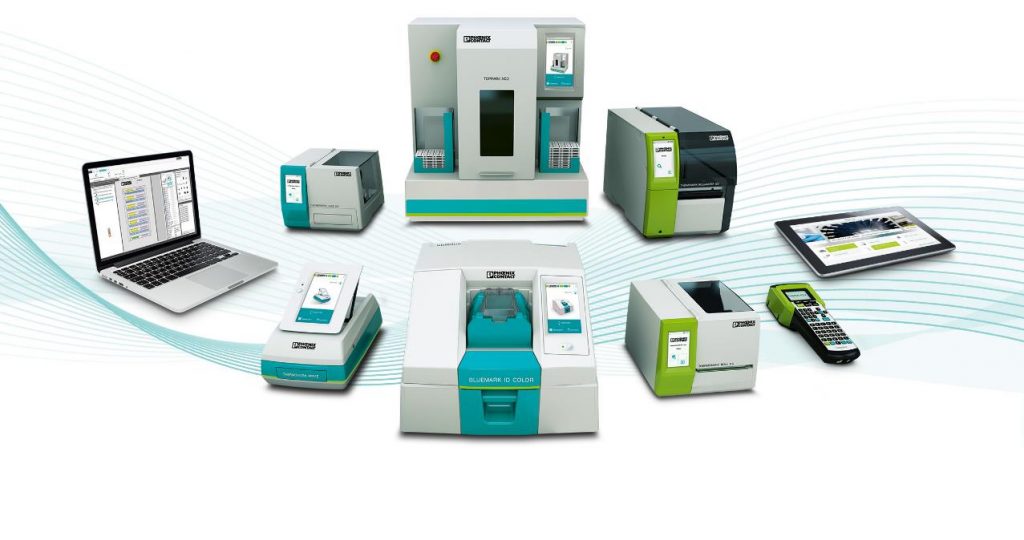
Phoenix contact has launched a series of marking materials and printers. Our printers are made user friendly with ‘simply easy’ motto. Our marking materials are developed with printing services that are widely available for:

  • Terminal blocks (not limited to Phoenix contact terminal blocks)
  • Wires (self-adhesive, clip type & with binder type)
  • Equipment (control panels, equipment tag, temp resist/proof labels, etc.)
  • Plant markings (warning labels)

Your worries and challenges for maintenance and troubleshooting of your control cabinets can now be tackled with ease.